Post Creator
Create, schedule, and publish LinkedIn posts directly from the dashboard with AI assistance.
Creating and scheduling a post
Creating a Post
Go to Post Creator in the dashboard sidebar. You can write a post manually or use AI to generate one.
AI Post Generation
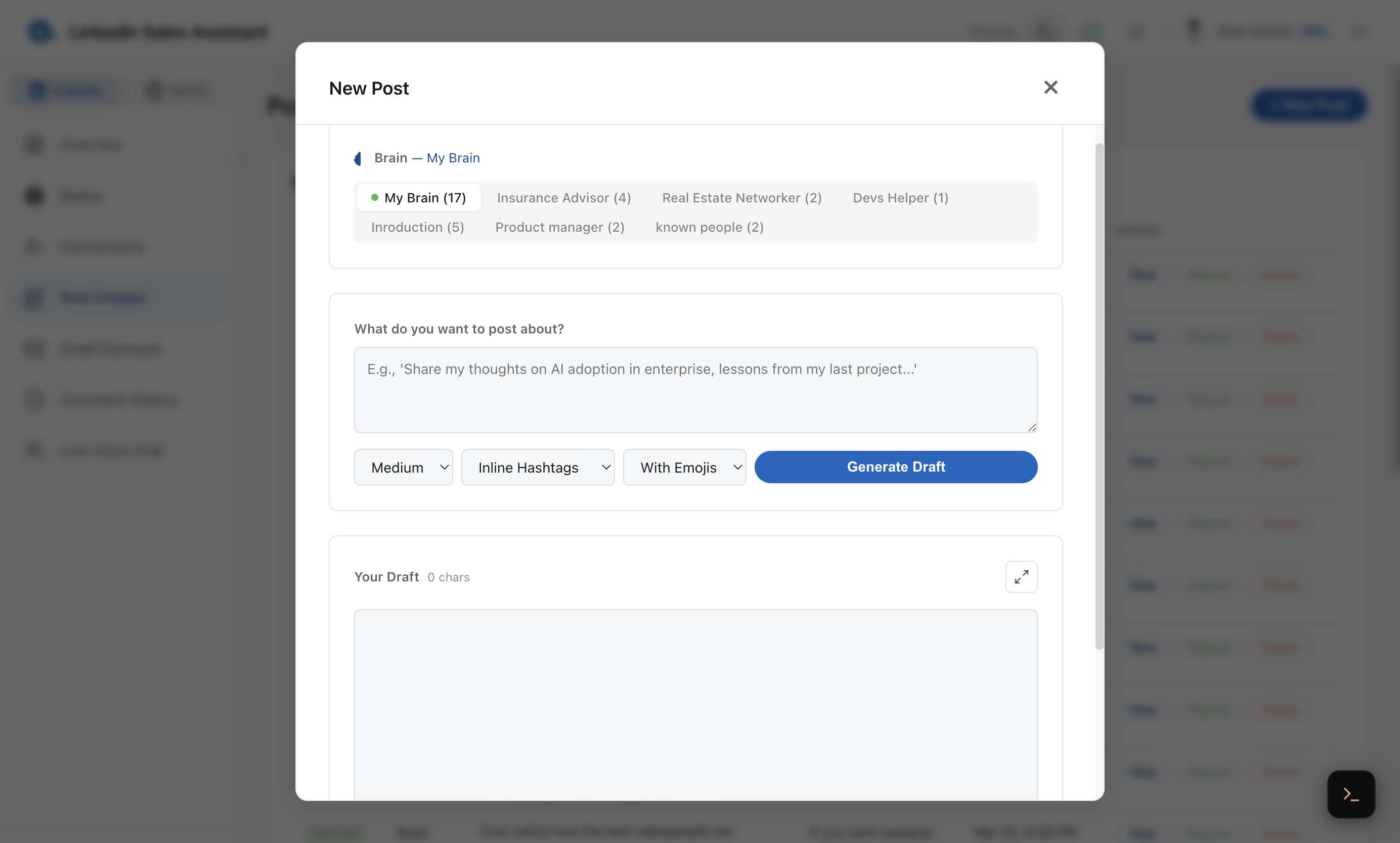
- Select a brain to define the tone and voice.
- Enter a topic or prompt for what the post should be about.
- Choose the desired length, hashtag style, and emoji preference.
- Click Generate Draft — the AI creates a post matching your persona's voice.
- Edit the generated text to add your personal touch.
Post History
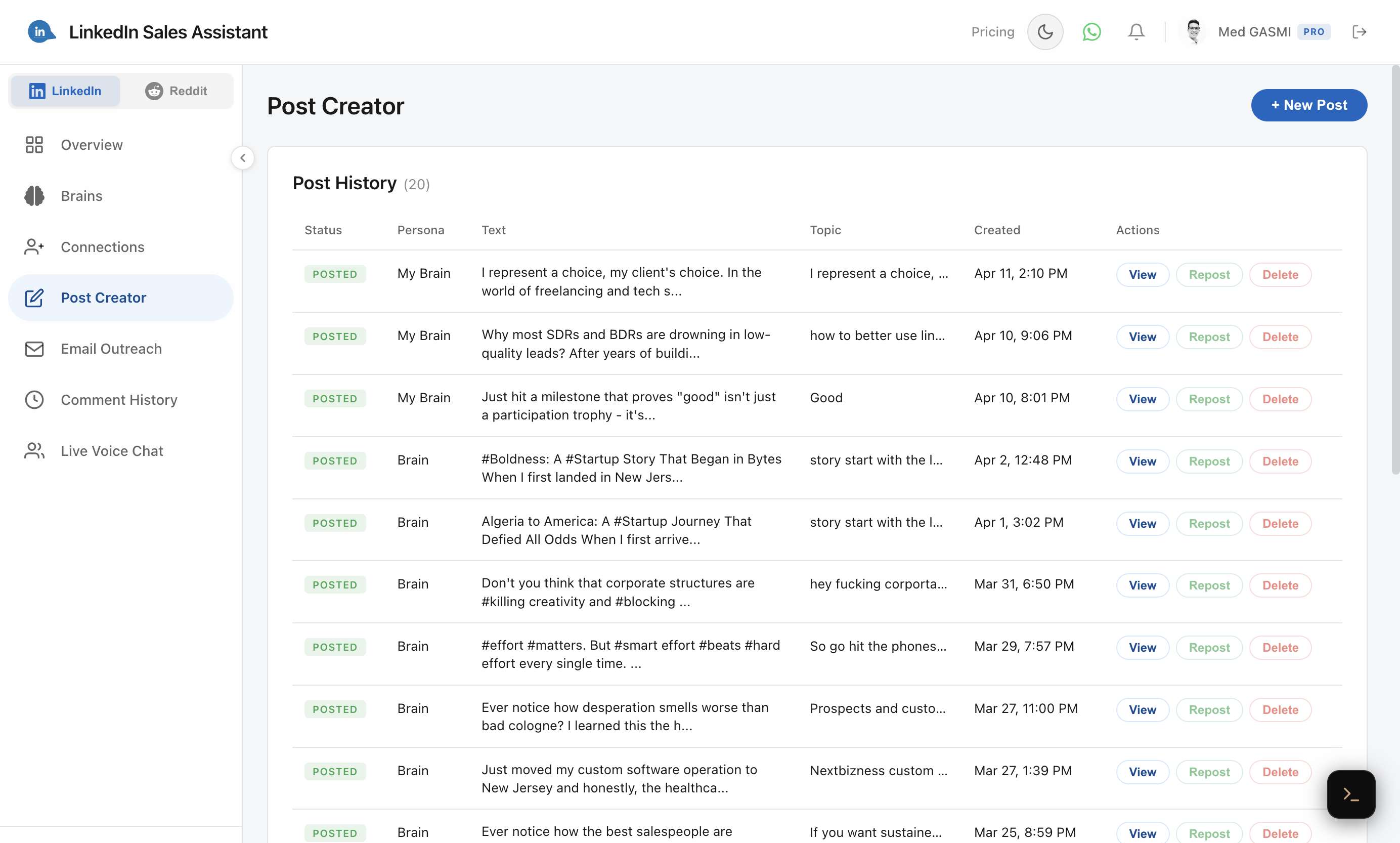
All your posts are tracked in the Post History table with their status (Posted, Draft, Scheduled), the persona used, and actions to View, Repost, or Delete.
Saving and Scheduling
You have three options for your post:
- Save as Draft — keep it for later editing.
- Schedule — pick a date and time for the post to go live. The extension automatically publishes it when the time comes.
- Post Now — immediately queue it for publishing.
How Auto-Publishing Works
When a post is scheduled or queued, the Chrome extension checks for pending posts every 30 seconds. When it finds one due for publishing:
- It uses LinkedIn's internal API to create the post.
- If the post has an image, it uploads the image first.
- The status updates from "pending" to "posted" (or "failed" with an error message).
Note: Your browser needs to be open with the extension active and you must be logged into LinkedIn for auto-publishing to work.