Creating Personas & Brains
Learn how to create AI personas that match your professional voice, and combine them into a Brain for smarter interactions.
What Are Personas?
A persona defines who the AI pretends to be when writing comments and posts on your behalf. It includes a name and a description of the role, expertise, tone, and style you want the AI to adopt.
For example, you might create a persona called "Tech Founder" with a description like: "A startup founder with 10 years of experience in SaaS. Speaks with authority but stays approachable. Focuses on growth, product-market fit, and leadership."
Creating a Persona
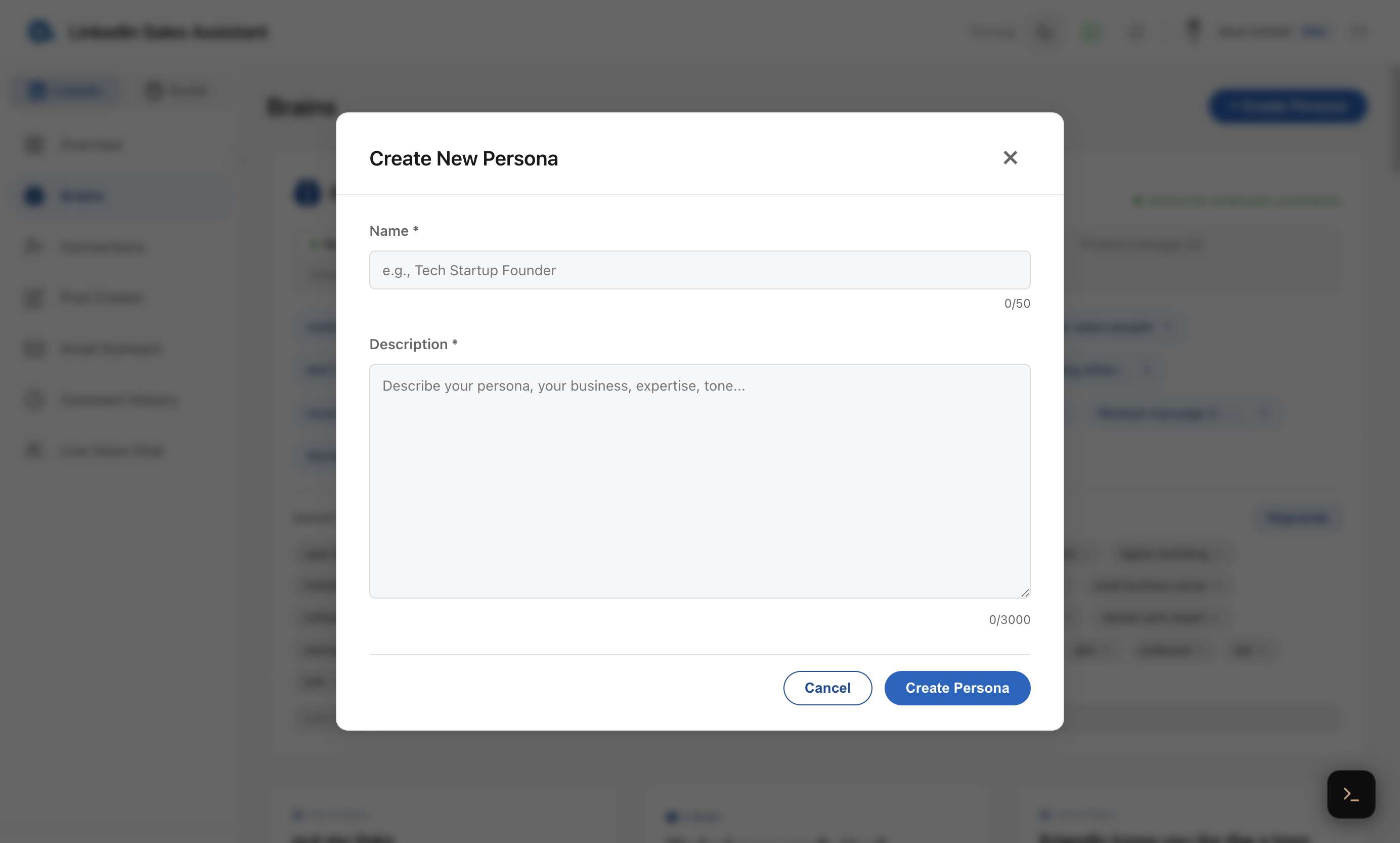
- Go to Brains in the dashboard sidebar.
- Click Create Persona.
- Give it a name (e.g., "Marketing Expert").
- Write a detailed description — the more context you provide, the better the AI matches your voice.
- Click save.
Tips for Better Personas
- Be specific about your expertise — mention your industry, years of experience, and key topics.
- Define your tone — are you formal, casual, humorous, or data-driven?
- Include what you care about — the AI will prioritize these topics when commenting.
- Mention what to avoid — if you never want to sound salesy or use jargon, say so.
What Is a Brain?
A Brain combines multiple personas into a single, synthesized identity. Instead of switching between personas, the AI merges them into one unified voice that draws on all your expertise areas.
For example, combining a "Tech Founder" persona with a "Content Strategist" persona creates a brain that can speak knowledgeably about both building products and creating content strategies.
Creating a Brain
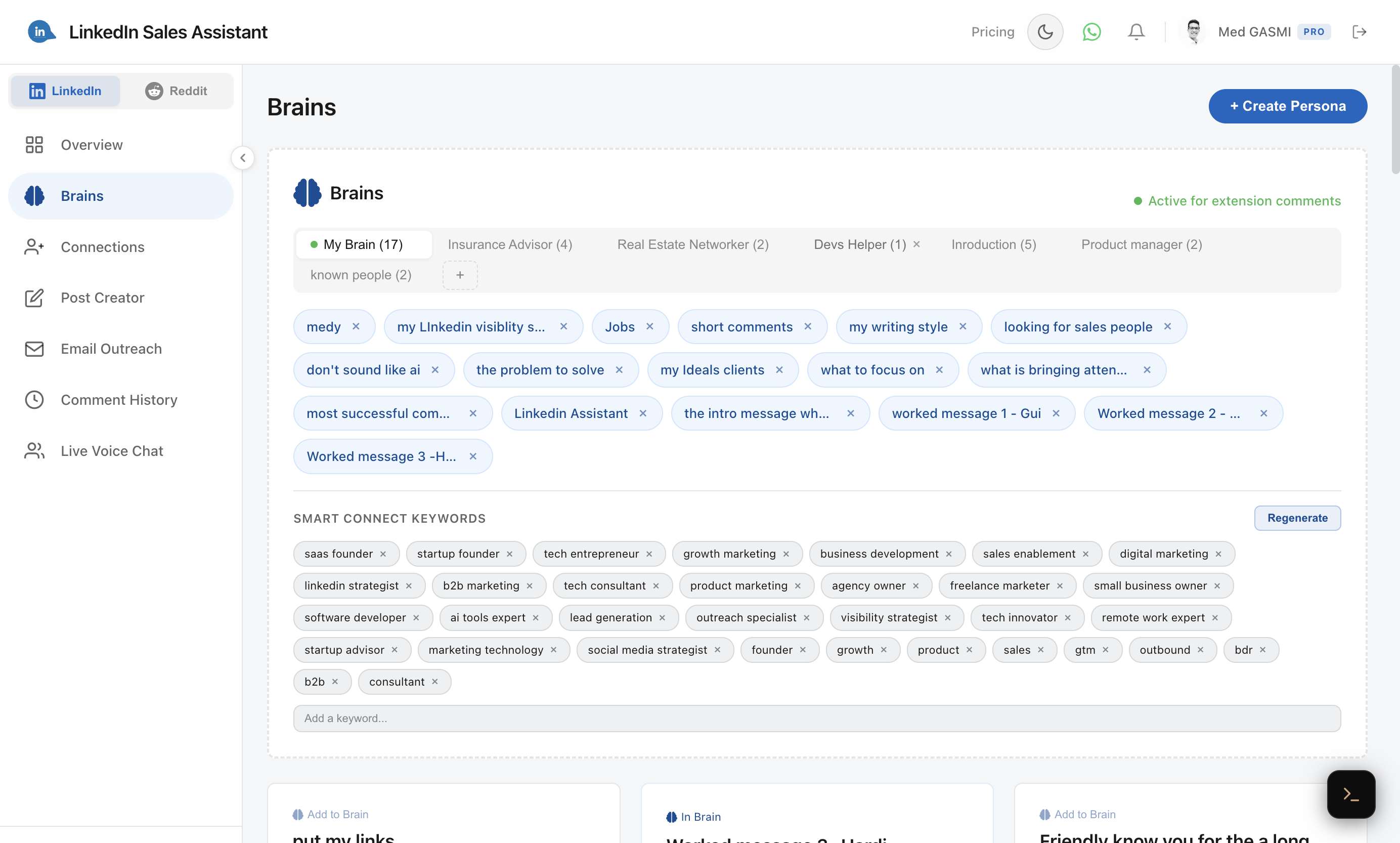
- Go to Brains in the dashboard.
- Click Create Brain and give it a name.
- Add two or more personas to the brain.
- The system automatically synthesizes them into a unified profile.
- Set the brain as active to use it as your default voice.
Target Keywords
Each brain can have target keywords — topics you want the AI to focus on. These keywords are also used by Smart Connect to filter relevant people when browsing post commenters.
Set keywords that match your ideal audience or the topics you want to be known for: "SaaS", "growth marketing", "AI", "leadership", etc.
Using Personas in the Extension
Your active brain automatically syncs to the Chrome extension. Set your active brain in the dashboard, and the extension will use it for all comments, emails, and posts. You don't need to select anything in the extension itself — just make sure you're logged in.