Connection Management
Sync your LinkedIn connections, organize them with tags, and track your outreach pipeline.
Connection management and tagging
Syncing Connections
Import your LinkedIn connections into the dashboard to organize and track your outreach. This is a Pro feature.
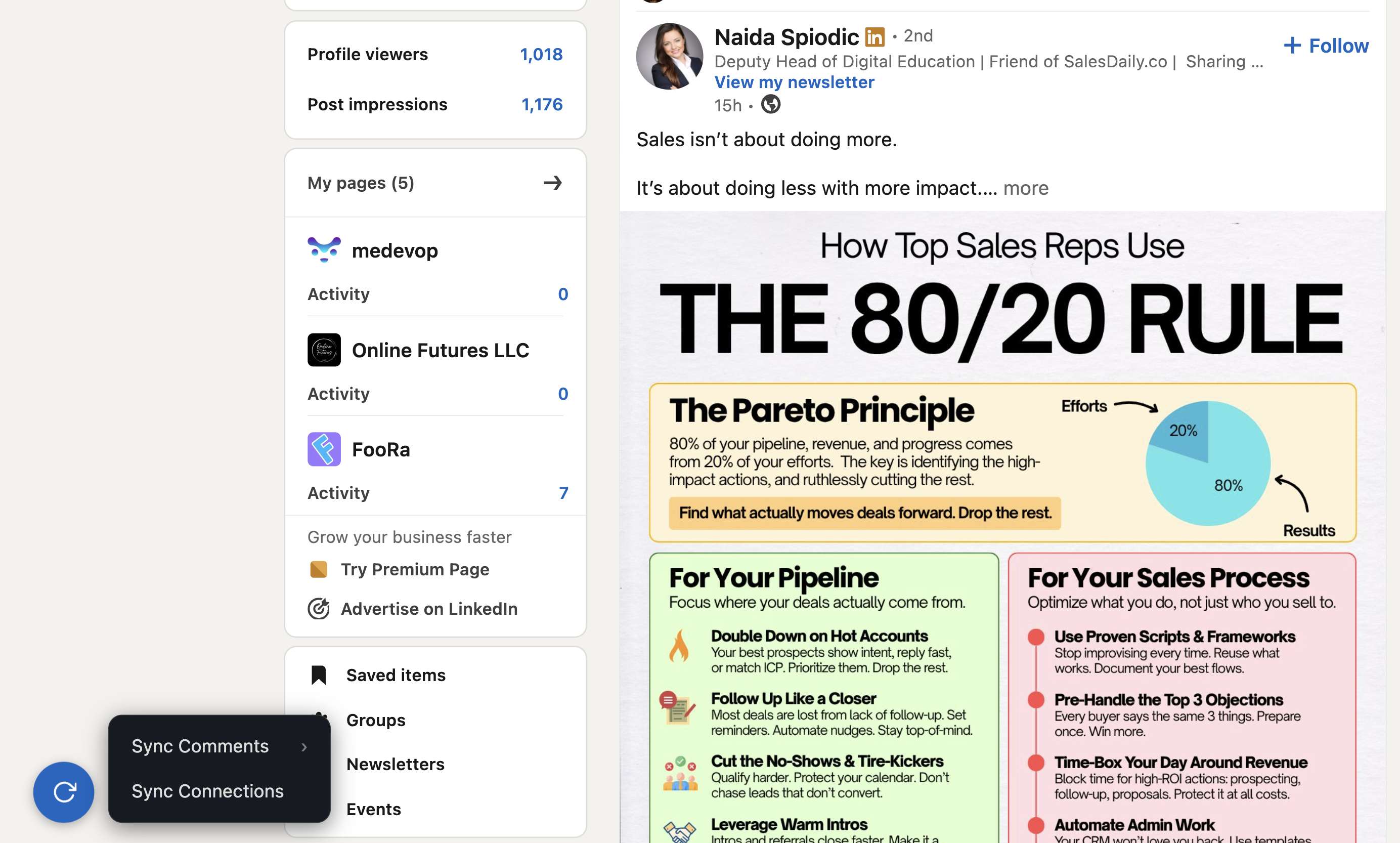
- Open the extension popup on any LinkedIn page.
- Click Sync Connections.
- Watch the live progress log as connections are imported in batches.
Connection Dashboard
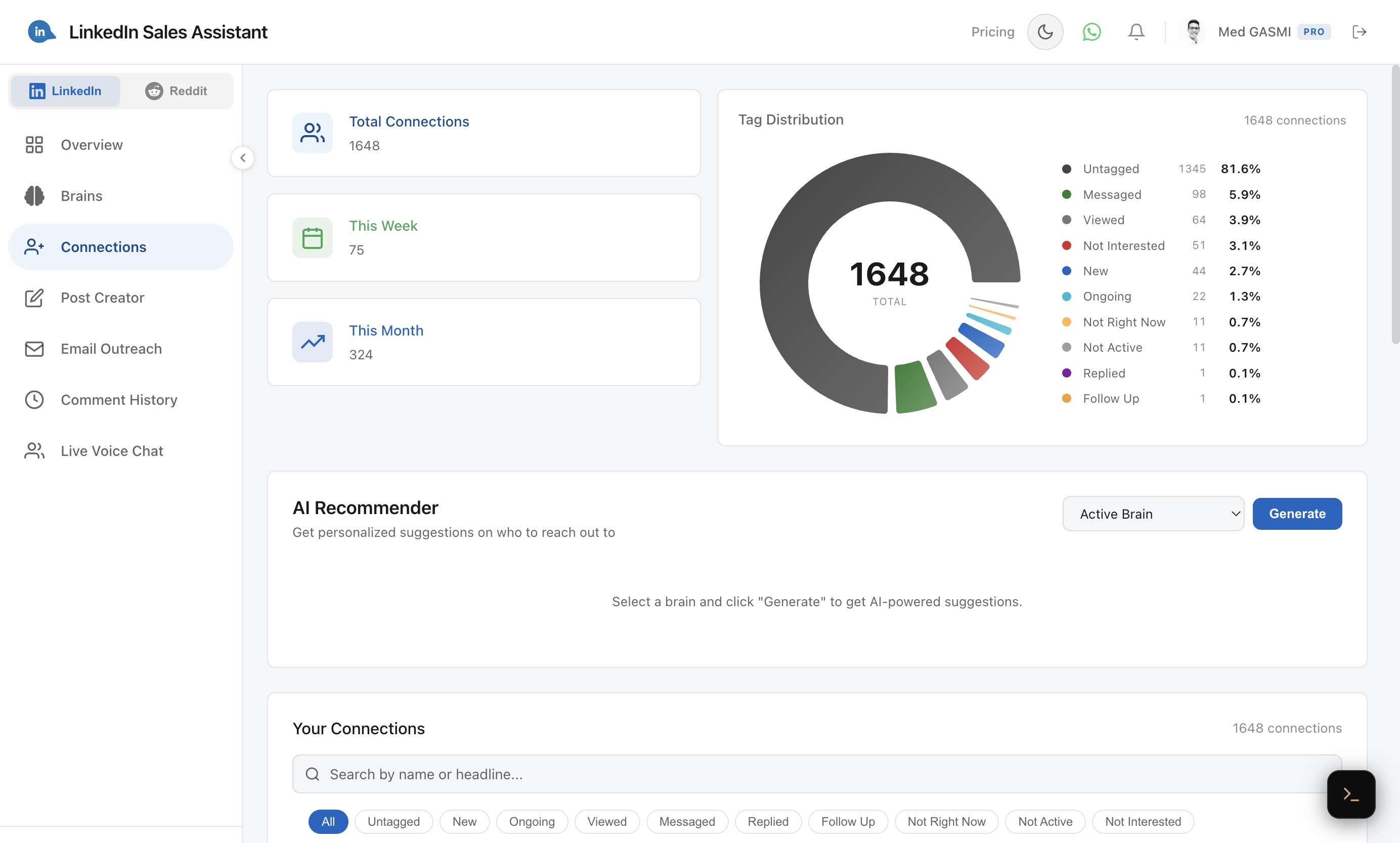
The Connections page shows your total connections, this week and this month counts, and a Tag Distribution donut chart showing how your contacts are organized.
The Tag System
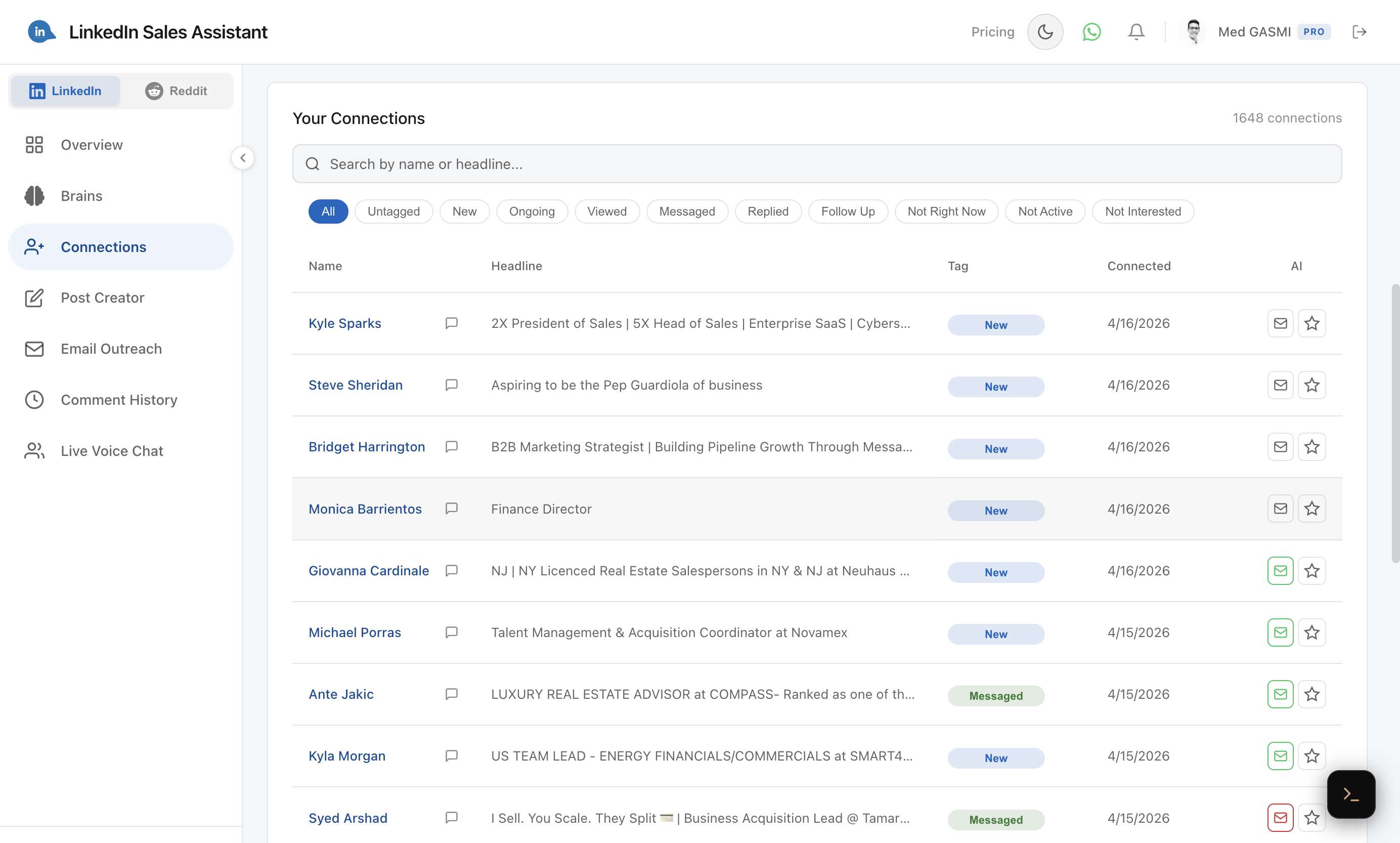
Organize your connections into a pipeline using predefined status tags:
- New — freshly synced, not yet contacted.
- Ongoing — active conversation in progress.
- Viewed — you've looked at their profile.
- Messaged — you've sent them a message.
- Replied — they responded to your outreach.
- Follow Up — needs a follow-up message.
- Not Right Now — parked for later.
- Not Active — inactive contact.
- Not Interested — opted out or not a fit.
Tagging from LinkedIn
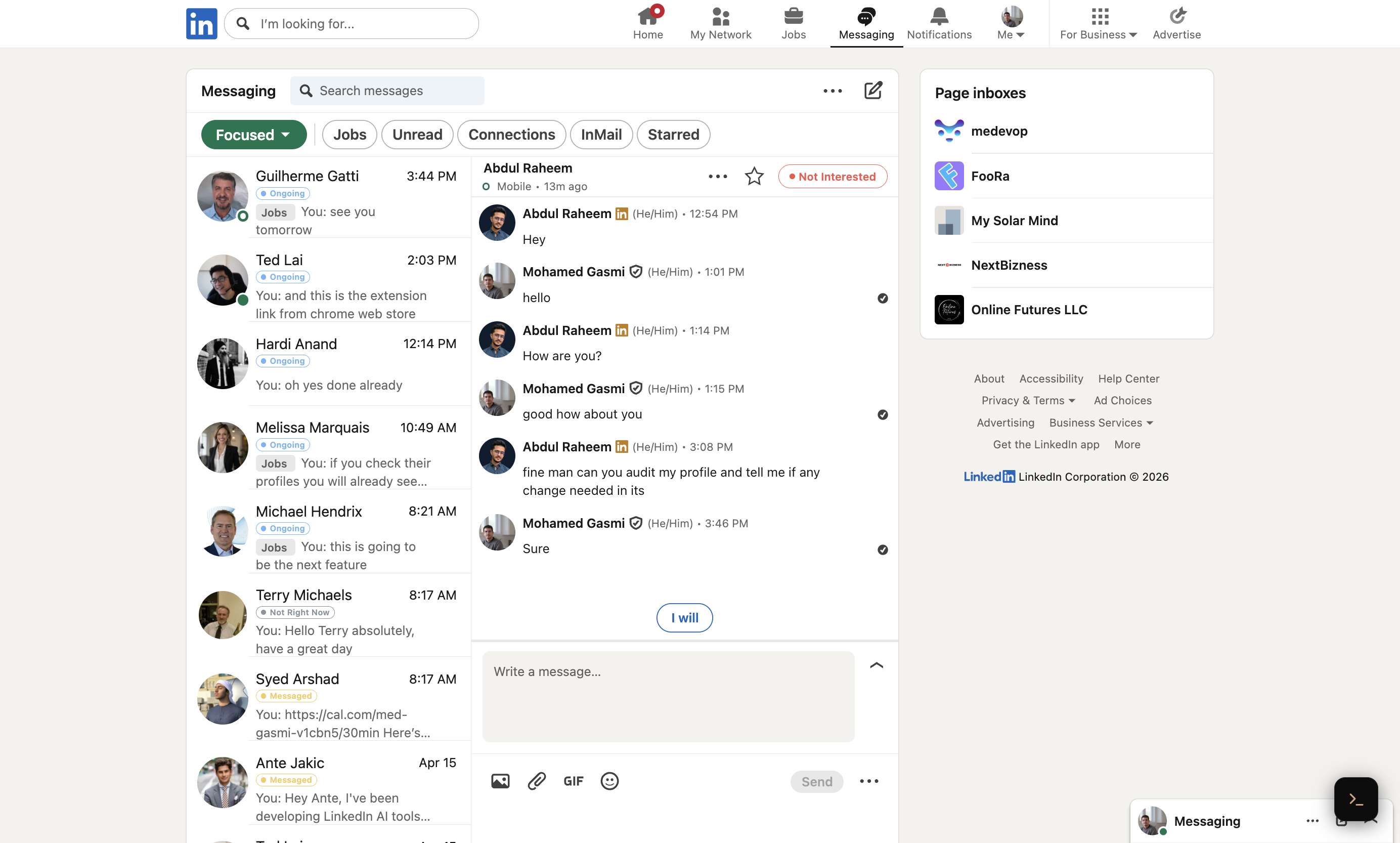
When you're on LinkedIn's Messaging page, the extension injects tag pills directly into each conversation. You'll see the current tag above each chat thread — tags sync in real-time between the dashboard and LinkedIn.