Email Enrichment & Compose
Find contact emails from LinkedIn profiles and compose personalized outreach emails with AI assistance.
What Is Email Enrichment?
Email enrichment is the process of finding someone's email address from their LinkedIn profile. The dashboard integrates with enrichment APIs (like Prospeo and Hunter) to look up emails, and also uses the Chrome extension to scrape contact information directly from LinkedIn profiles.
How It Works
When you want to email a LinkedIn contact, the system tries multiple methods:
- Cached lookup — checks if the email was already found previously.
- Extension bridge — the dashboard sends a request to the Chrome extension, which extracts the email from the contact's LinkedIn profile (if they've made it visible).
- API enrichment — queries external services to find the email.
- Manual entry — you can always enter an email address manually if you know it.
Composing an Email
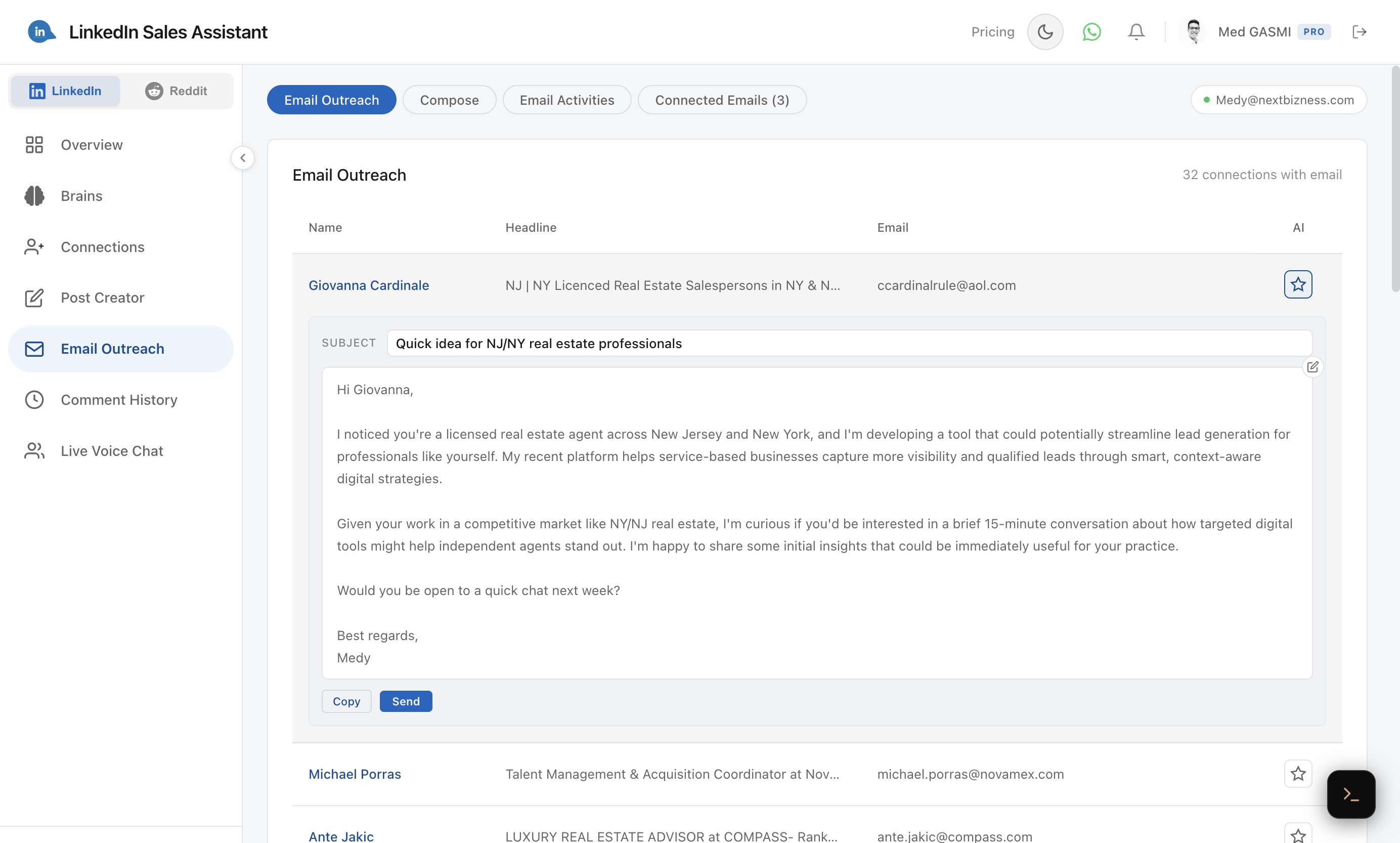
From the Email Outreach tab, click the AI icon next to any contact with a found email. The system generates a personalized outreach email based on your brain and the recipient's profile. You can edit the subject and body before sending.
AI-Assisted Composition
When you select a brain and the system has context about the recipient, the AI generates a personalized email that:
- Matches your persona's tone and style.
- References the recipient's professional background when available.
- Keeps the message concise and actionable.