Introduction & Setup
Get started with LinkedIn Sales Assistant — install the extension, sign in, and take your first tour of the dashboard.
What is LinkedIn Sales Assistant?
LinkedIn Sales Assistant is an AI-powered tool that helps you grow your LinkedIn presence through intelligent commenting, smart connections, email outreach, and post creation. It consists of two parts:
- Chrome Extension — lives in your browser and interacts directly with LinkedIn. It scans posts, generates AI comments, extracts contact info, and manages connections.
- Dashboard — a web app where you manage personas, track analytics, compose emails, create posts, and monitor your outreach pipeline.
Installing the Chrome Extension
The LinkedIn Sales Assistant Chrome extension is available on the Chrome Web Store. The installation link is provided exclusively to the companies we work with. If you're part of a partner organization, you'll receive the direct link from your account manager.
- Open the Chrome Web Store link provided to you.
- Click Add to Chrome and confirm the installation.
- Pin the extension to your toolbar for quick access.
Signing In
Both the extension and the dashboard use Google Sign-In. Click the sign-in button in either the extension popup or the dashboard login page. Your account is shared between both — signing in once connects everything.
After signing in, you'll be taken through a quick onboarding step where you select your primary goal: growing engagement, building your personal brand, expanding your network, or generating leads. This helps tailor your experience.
Dashboard Overview
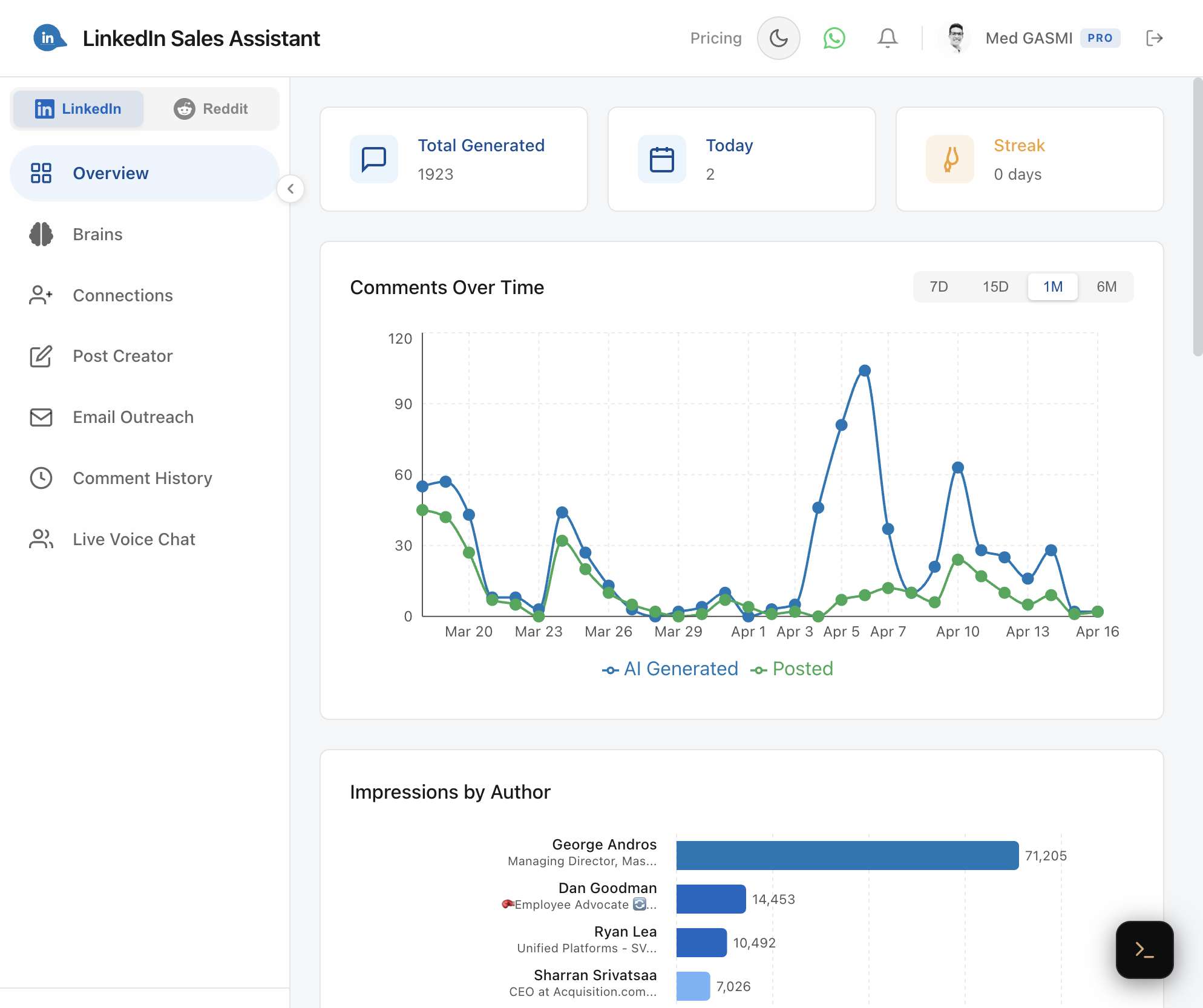
Once signed in, the dashboard is organized into a sidebar with the following sections:
- Overview — your stats at a glance: total comments, today's count, your streak, and engagement charts.
- Brains — create and manage AI personas and brains that define your commenting voice.
- Connections — sync and organize your LinkedIn connections with a tag-based CRM.
- Post Creator — generate and schedule LinkedIn posts.
- Email Outreach — find emails, compose messages, and manage your outreach pipeline.
- Comment History — searchable archive of all your synced comments with engagement data.
- Community — live voice chat room to connect with other users.
You can also switch to the Reddit platform from the sidebar toggle to access Reddit-specific features (Pro plan required).
Syncing Your Data
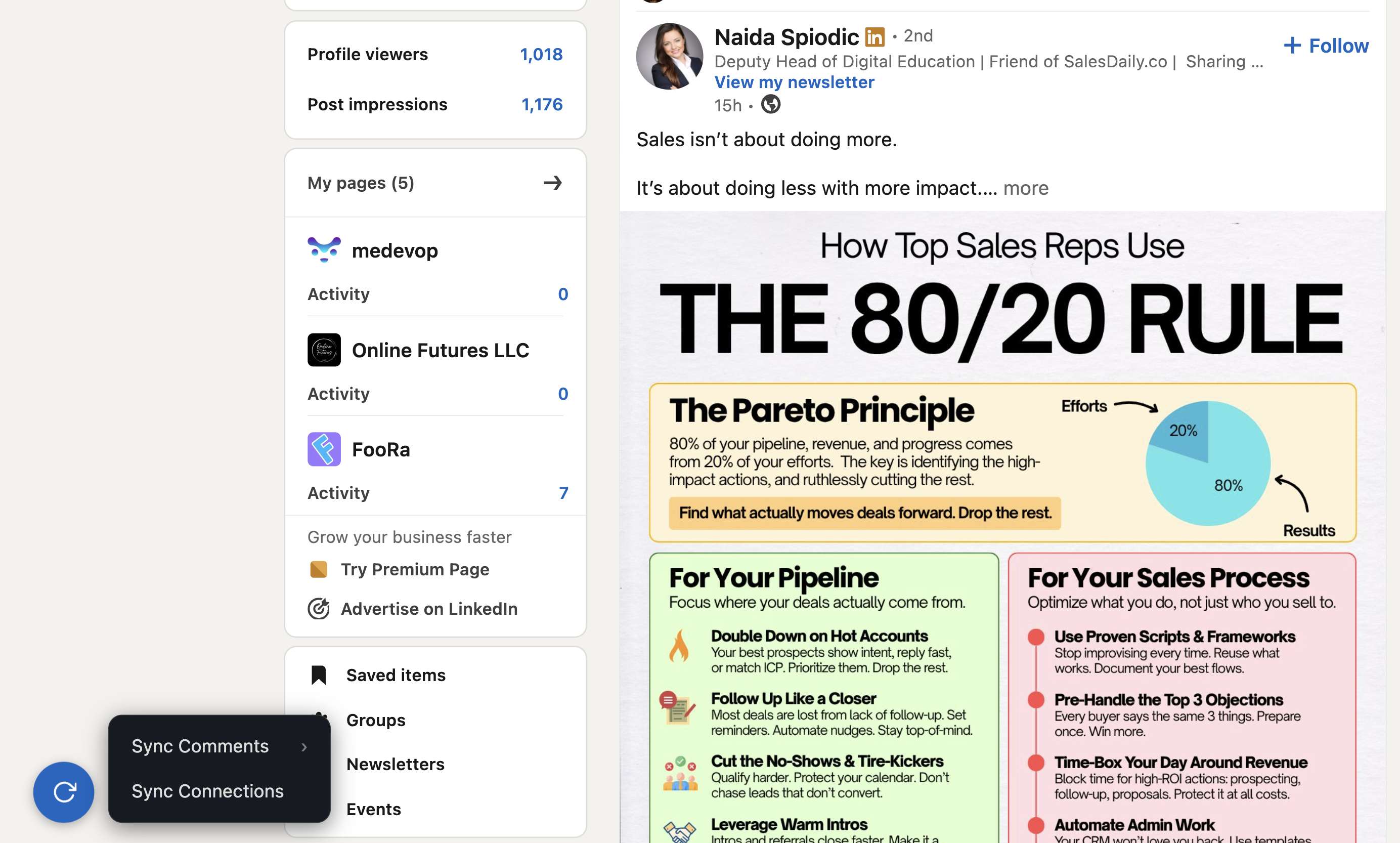
On any LinkedIn page, you'll see a sync button in the bottom-left corner. Click it to access:
- Sync Comments — import your comment history to the dashboard for analytics.
- Sync Connections — import your LinkedIn connections for tagging and outreach (Pro).