Comment History & Analytics
Sync your LinkedIn comment history, track impressions, and analyze your engagement with charts and stats.
Comment history and analytics
Syncing Your Comment History
The extension can scrape your LinkedIn comment history and sync it to the dashboard for analytics. Here's how:
- Navigate to your LinkedIn profile's Recent Activity → Comments page.
- Open the extension popup — the history sync section will appear automatically.
- Select a date range:
- Free plan: Last 7 days.
- Pro plan: 7, 30, 90, 180, 365 days, or a custom date range.
- Click Sync and wait for the scraper to finish.
Dashboard History View
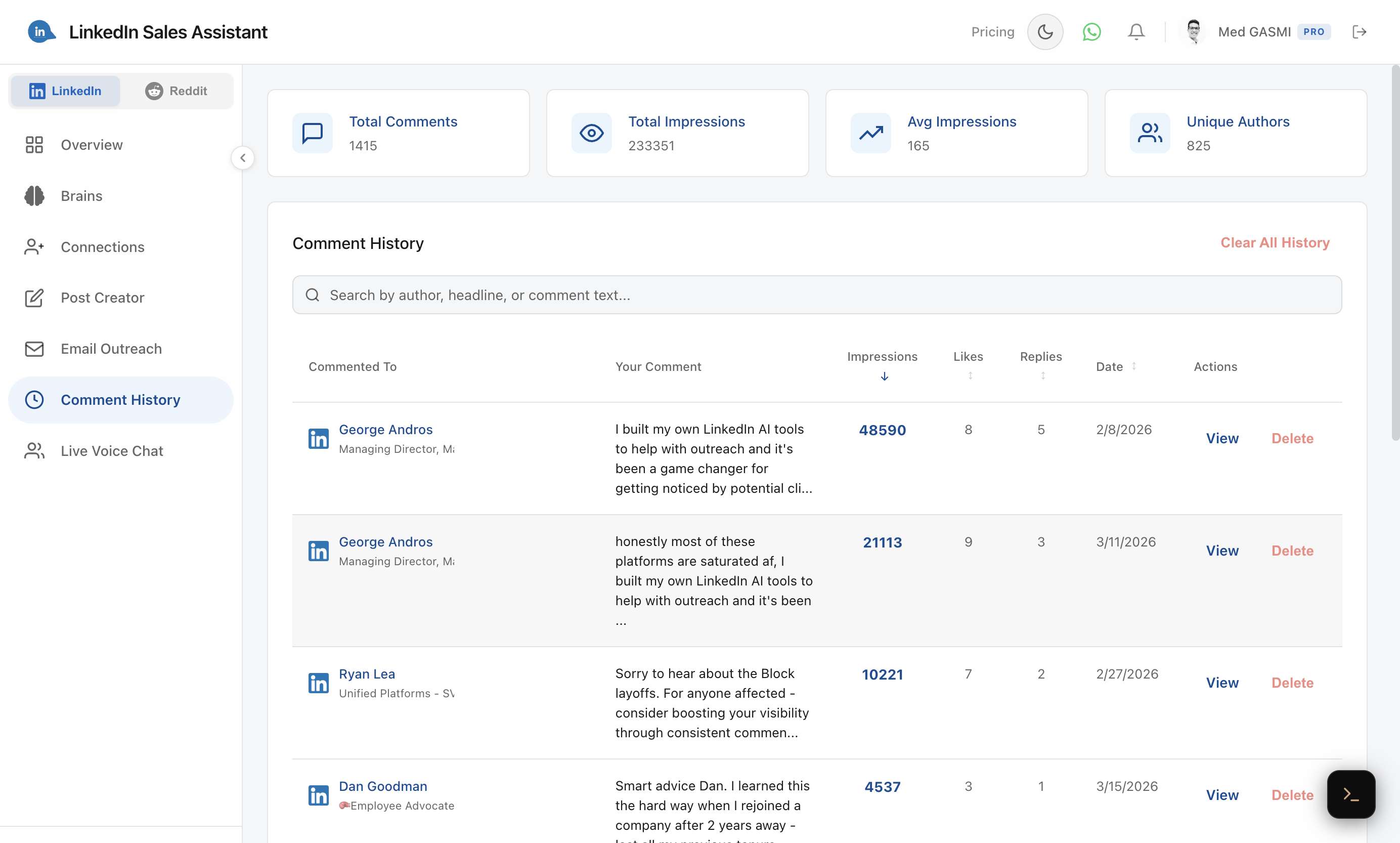
Go to Comment History in the dashboard sidebar to see all your synced comments. The page shows stat cards at the top (total comments, total impressions, average impressions, unique authors) and a searchable, sortable table below.
Overview Page Charts
The Overview page gives you a bird's-eye view of your activity with multiple charts:
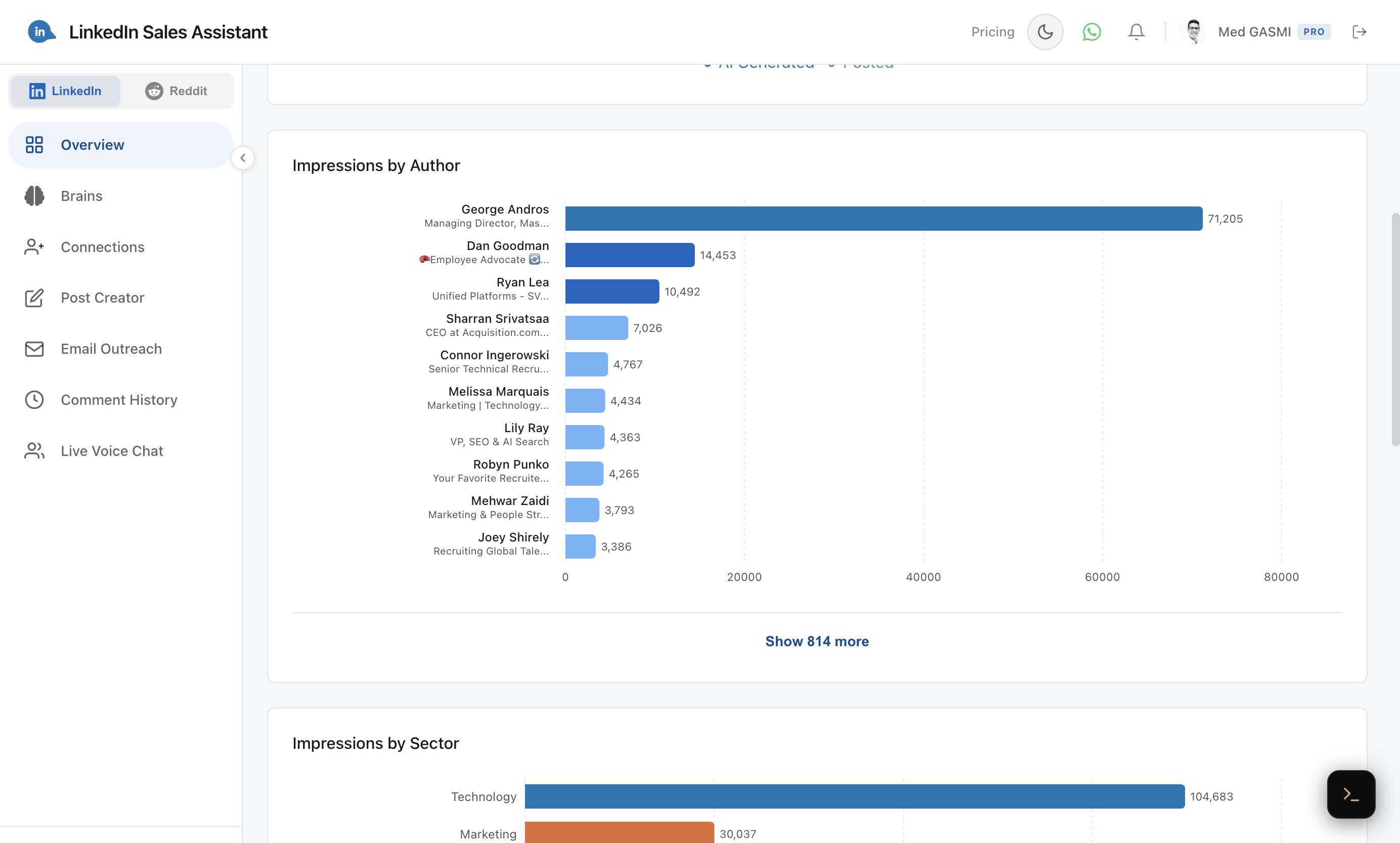
Impressions by Author — see which post authors generate the most visibility for your comments.
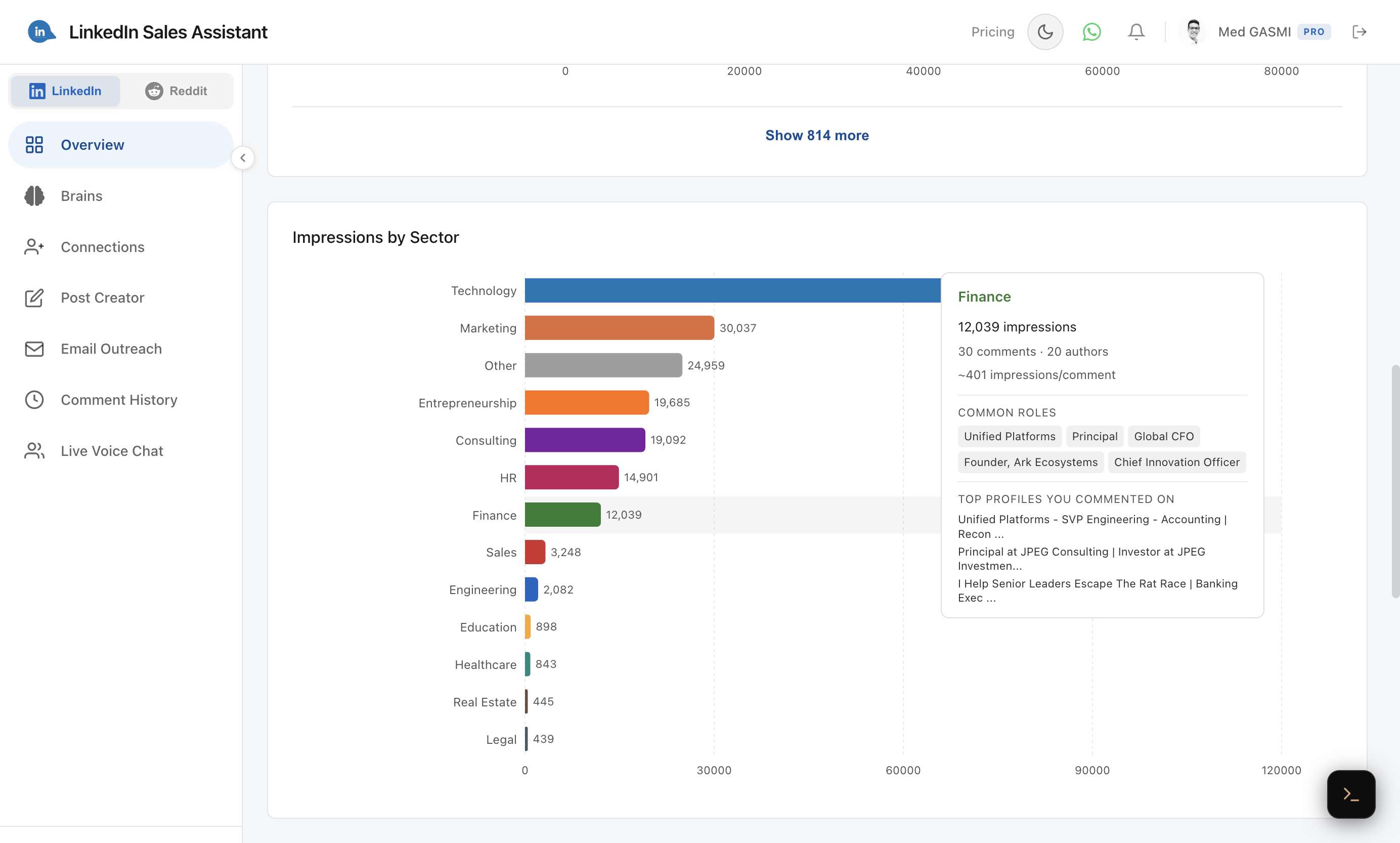
Impressions by Sector — understand which industries your comments perform best in. Hover over any sector to see detailed stats including comment count, common roles, and top profiles.
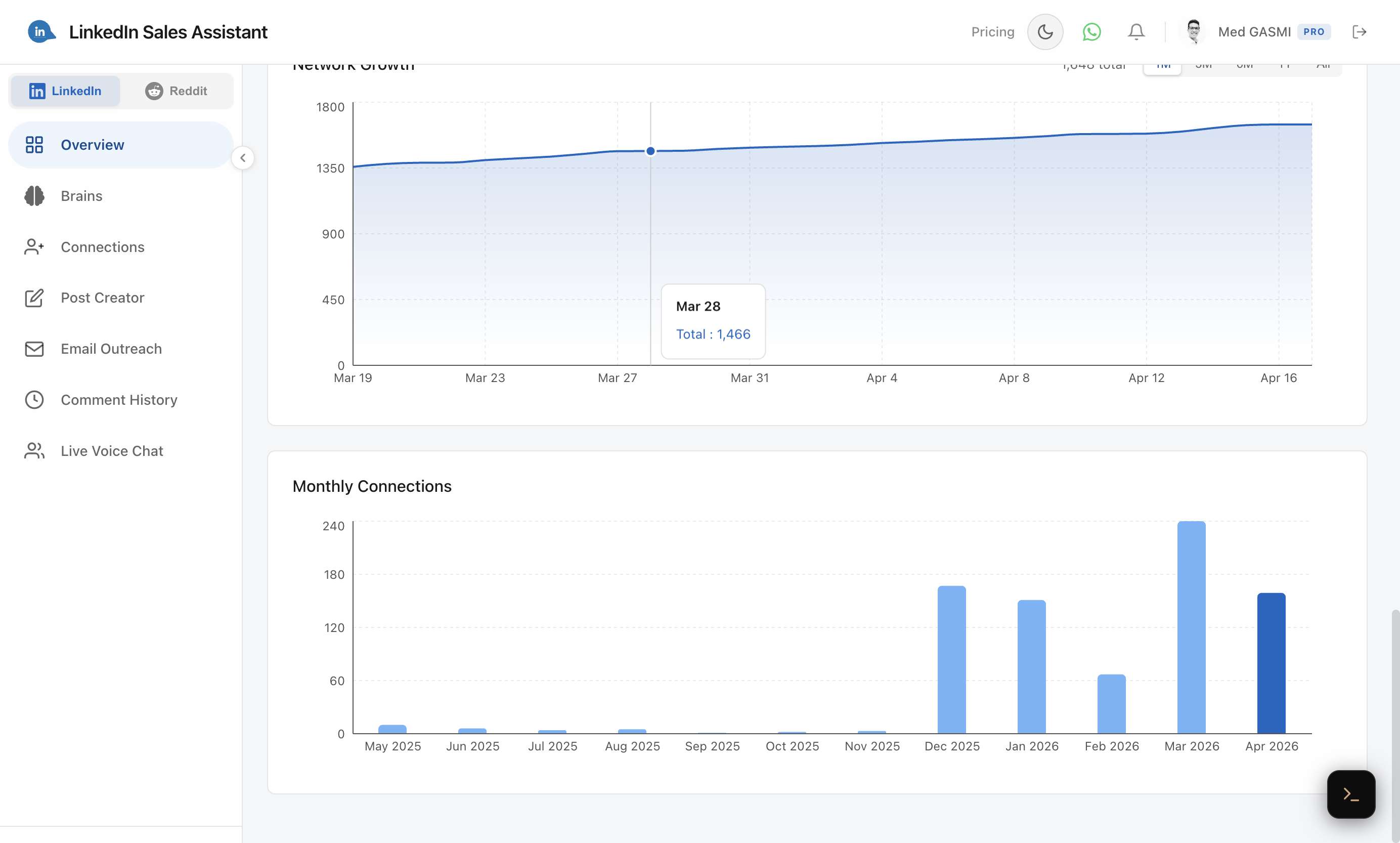
Network Growth and Monthly Connections — track how your network is growing over time.
Auto-Sync
The extension also runs a daily automatic sync in the background, importing the last 2 days of comments without any manual action.